Asset management · Maintenance management systems · Tracked. Insured. On time.

Know what you own, what it's worth and what's due next.

FindThings IQ is asset management software and a maintenance management system on one record. Every machine, tool and file keeps its location, its value, its documents and the date it is due for service. Renewals, repairs and audits stop slipping through the cracks.

  • Free plan, no card
  • Encrypted documents
  • Tamper-evident audit log
  • Phone and desktop
Asset record

Plant 2 → Bay C → Asset 14 → Air compressor AC-200

Book value$18,420Straight-line, year 3 of 7
Cost-to-Keep / yr$6,950Insurance + repairs
Next serviceIn 21 daysEvery 500 run-hours
ResponsibleMaintenance leadChecked in today
  • Valid Pressure-vessel certificate expires Mar 2027
  • 60 days Equipment insurance policy renewal reminder sent
  • On file Manual and warranty PDF

Last work order: belt replaced, 3.5 h downtime, closed and priced.

An example record showing location trail Location → Unit → Asset → Name, book value, Cost-to-Keep, next service and attached certificates.
One recordLocation, value, documents, history
90 · 60 · 30 daysWarnings before anything lapses
Works offlineField jobs with no signal (Premium)
API + webhooksFeed your ERP and accounting

Platform

Everything an asset needs, in one system

Start with the register. The maintenance management system, compliance and finance turn on when you need them.

Asset register

Every asset with a place, a number and an owner. Search a name and get Location → Unit → Asset → Name.

  • QR labels on Avery sheets; camera or USB scanning
  • Check-out, reservations, condition photos
  • Spreadsheet import, typed category fields
Maintenance management system

Planned service by date or meter reading, and a work order for every repair, on the same card as the asset.

  • Checklists, parts, time and failure codes
  • Requests from anyone, approved by a manager
  • Downtime and maintenance KPIs
Office Premium

Documents & compliance

Certificates, warranties, policies and manuals live on the asset, each with an expiry date and an owner.

  • Renewal reminders by app, email and text
  • Inspections with photo and signature
  • Printable compliance packet per asset

Asset finance

Cost, book value and what each asset really costs to keep.

  • Straight-line and MACRS depreciation
  • Cost-to-Keep and keep-or-replace
  • Flags insurance that costs more than replacement
Office Premium

Field & mobile

Technicians open the day's jobs on a phone, even in a basement with no signal.

  • Offline job list that syncs when back online
  • Push notifications to phone and browser
  • Field logins never see cost or insurance
Office Premium

Integrations & parts

Connect FindThings IQ to the systems you already run.

  • Read-only REST API with scoped keys
  • Signed webhooks; depreciation journal export
  • Spare parts, reorder points, purchase orders
Office Premium

See every feature →

Rollout

Live in days, not a six-month project

  1. 1

    Import what you have

    Upload a spreadsheet of locations, assets, costs and document titles, or paste a list of names.

  2. 2

    Label and scan

    Print QR labels the same day. Anyone can scan one to see where an asset belongs and who owns it.

  3. 3

    Get ahead of deadlines

    Service dates, renewals and inspections turn into reminders and work orders before they are late.

Tour

A quick look

Search

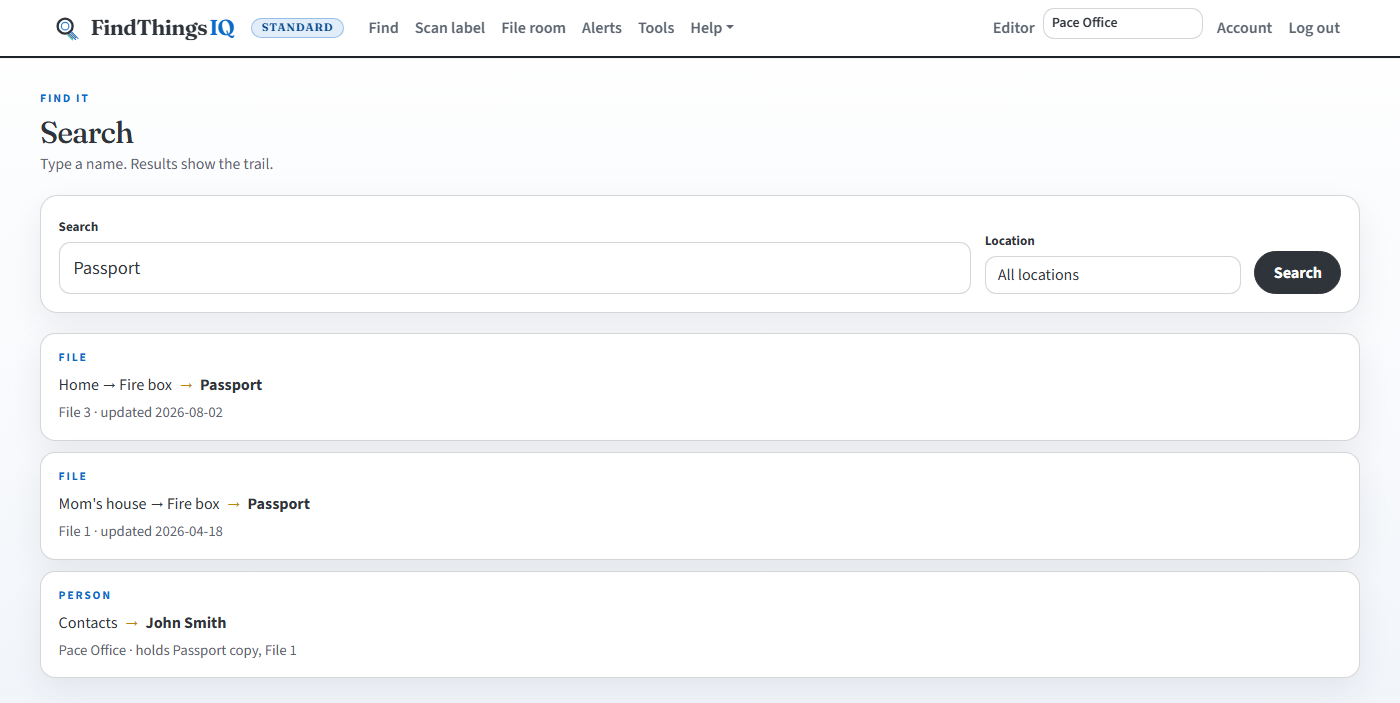
Search for a name

Type a name and see where it is: Location → Unit → Asset → Name.

findthingsiq.com/search
Search results showing Location, unit, asset number, and item name.

Asset room

The whole room

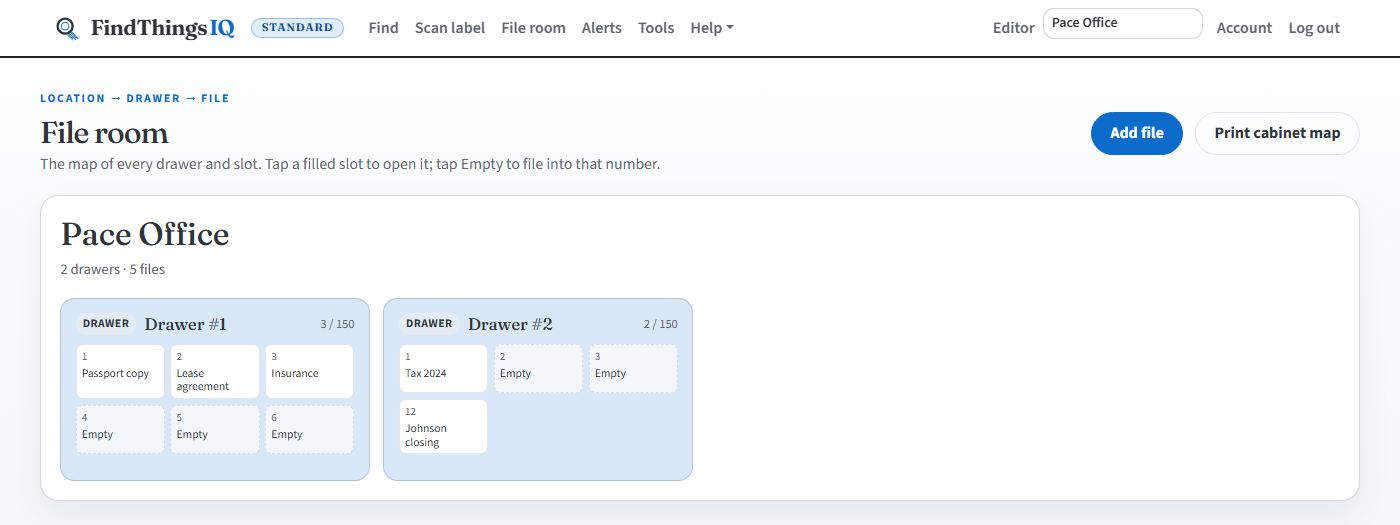
Filled slots and empty ones side by side, for the whole office and not just one folder.

findthingsiq.com/catalog
Browse view showing units and asset slots, some filled and some empty.

Check out

Know who has it

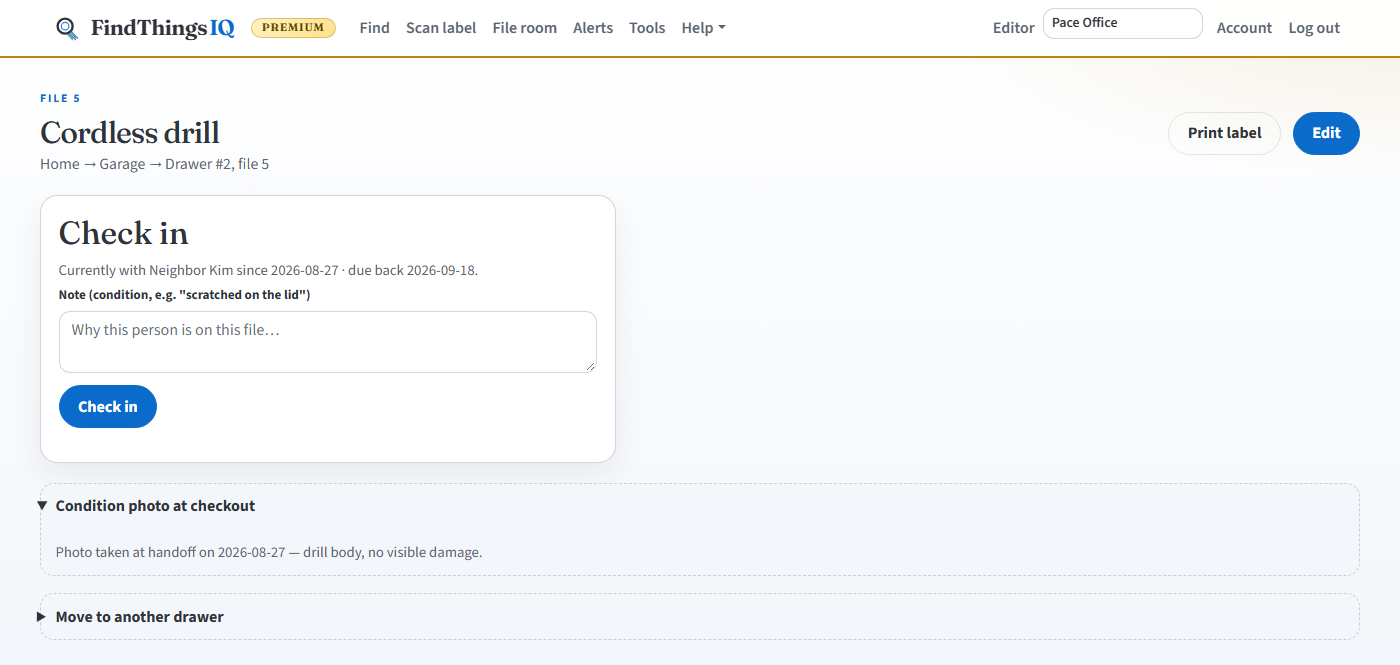
Lend it to a coworker, move it, or reserve it for later. A double booking is refused when you make it.

findthingsiq.com/items/details
Asset details showing an item checked out with a due date.

Labels

Labels you can print today

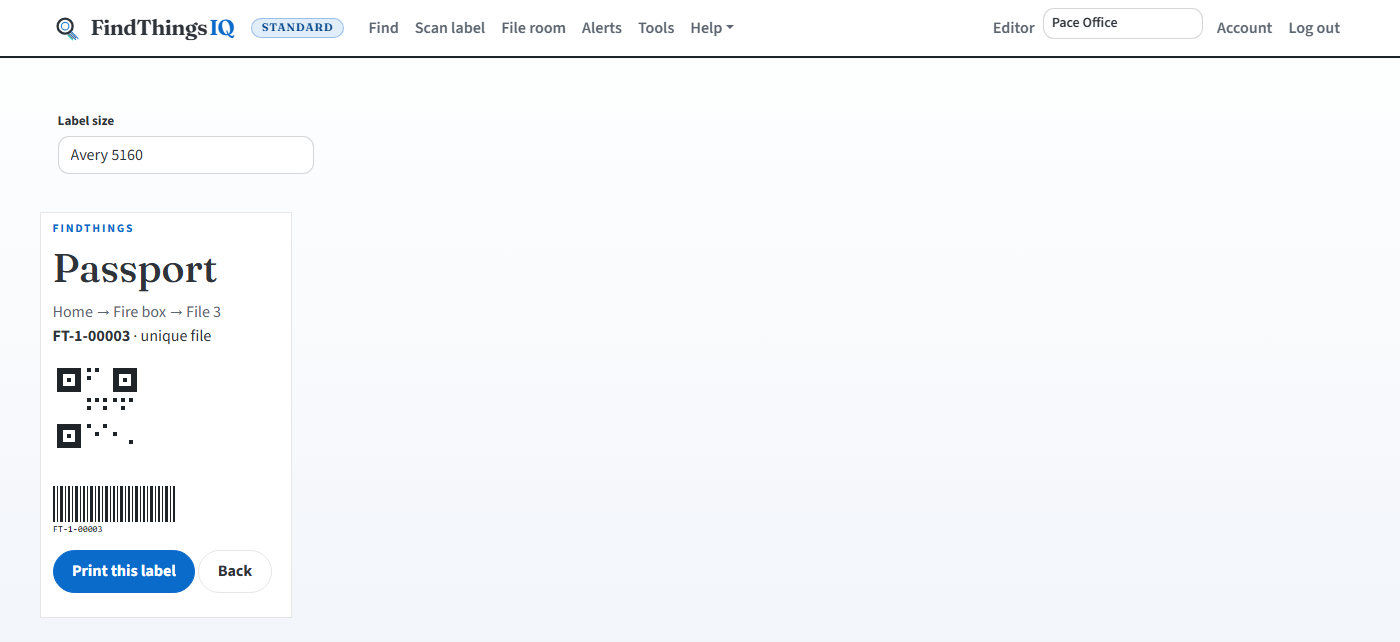
Avery 5160, 5163 and 5167 layouts with a QR code on each. Stick one on and scan it.

findthingsiq.com/items/sheet
Label print preview with QR codes on an Avery layout.

Scan

Scan the label

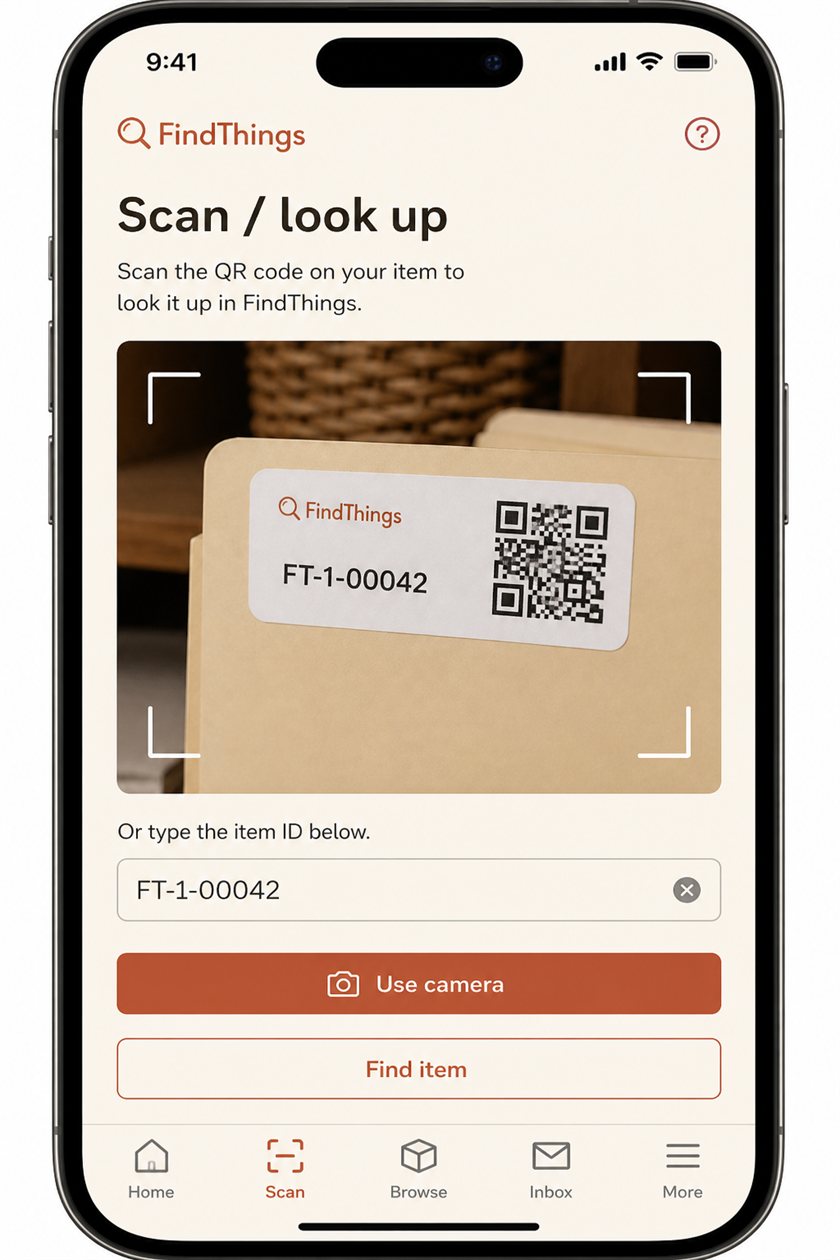
Use the camera or a USB scanner, or type the code. Scan sits on the phone's tab bar.

findthingsiq.com/items/scan
Phone Scan screen with camera pointed at a label QR code.

Alerts

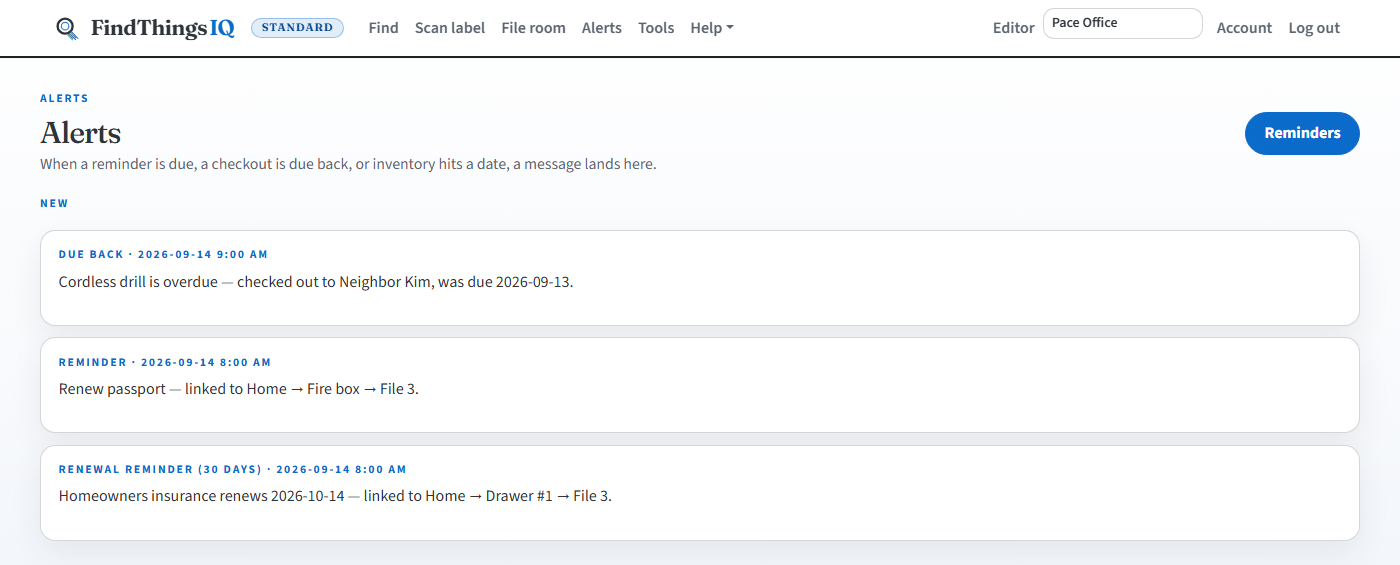
Reminders land here

You get a nudge 90, 60 and 30 days before each policy, warranty or license runs out.

findthingsiq.com/inbox
Alerts list with due-back and renewal alerts.

Security & governance

Built for the questions your auditor and IT team will ask

Role-based access, an activity log you can verify, and controls an Owner can switch on for the whole organization.

  • Role-based accessOwner, Editor, Viewer, Manager and Field Worker. Cost and insurance stay off field logins.
  • Tamper-evident activity logEach entry is chained to the one before, so an edited or removed entry shows up when checked.
  • Two-factor sign-inAuthenticator app, emailed code or tap-to-approve. Owners can require it for everyone.
  • Encrypted documentsPhotos and PDFs are encrypted in storage and scanned for malware on upload.
  • Legal holdBlocks every delete across the organization until an Owner releases it.
  • SSO and SCIMMicrosoft Entra ID and Google Workspace sign-in with automatic provisioning, on Enterprise.

Industries

One record, adapted to the work you run

FindThings IQ is an asset record and reminder system. It does not certify an audit (OSHA, EPA, ISO or HIPAA), give insurance advice, track vehicles by GPS, or replace a medical record or court e-filing system.

See your assets on one screen this week.

Start free with no card, or start Office and import your list today. Compare Free, Office, Office Premium and Enterprise on Plans.